The blank is wrong
A generic T-shirt does not show your customer the brand, style, and color they are actually ordering.
Upload your finished artwork, choose the shirt brand, style, and color you sell, then choose the model and setting. Mockery Studio creates a realistic on-model product image and saves it to your account.
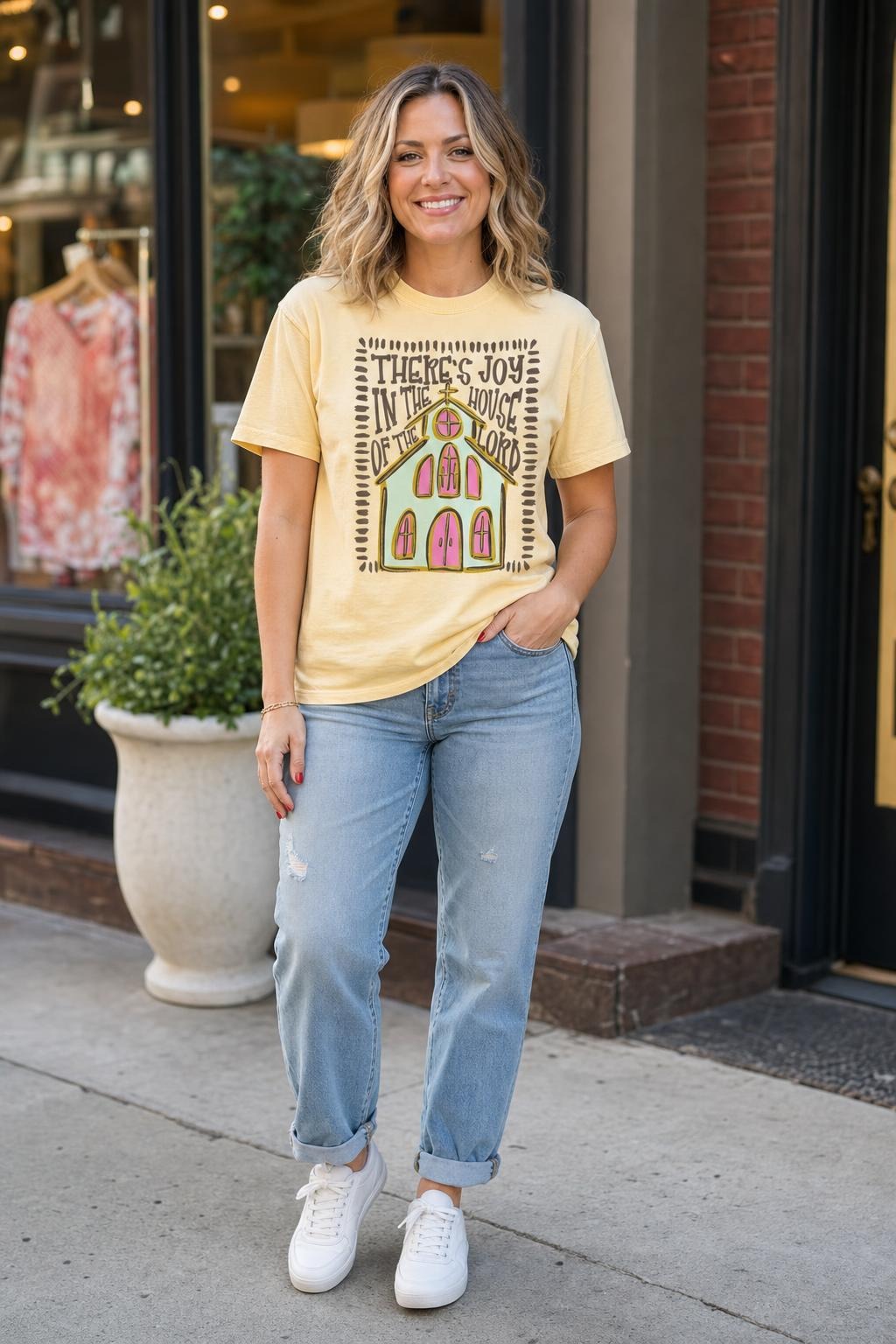
You can press a sample, stage it, photograph it, and edit the photo. Or you can settle for a template that does not match the shirt or suit the customer. Mockery Studio gives you a third option: choose the product and photo you need, then generate the finished mockup from your own artwork.
A generic T-shirt does not show your customer the brand, style, and color they are actually ordering.
A flat overlay ignores the shirt's fabric, folds, lighting, and the way a real print sits on the garment.
The right model and setting matter when you are preparing a proof, creating a product listing, or marketing a collection.
The studio asks for the choices that matter and handles the repetitive production work for you.
Add the PNG, JPG, or WebP file you already plan to print. Transparent artwork works best.
Select the shirt brand, style, catalog color, model, and setting that fit the job.
Mockery handles print sizing and placement, creates one portrait mockup, and saves it to your private library.
You choose the product, color, model, and setting. Mockery Studio handles the rest!
Work with recognizable shirt brands, styles, and catalog colors instead of a generic blank.
Choose a model and setting that suit the customer, collection, season, holiday, sport, or occasion.
There is no editing canvas. The artwork is sized, centered, and integrated with the fabric automatically.
Every finished image is stored in your account and filed by category, brand, style, and artwork.
Every front or back image uses one credit. Included credits reset each month, and additional credits can be purchased without changing your plan.
For shops that need a few fresh mockups each week.
For busy shops creating proofs and listings regularly.
For teams making customer proofs every day.
Additional image-credit packs are available when you need more than your monthly allowance.
No. Upload the design and Mockery handles the print size and placement.
No. Mockery is a mockup tool for finished artwork. It does not generate or edit the design itself.
One credit creates one portrait image. A front mockup and a back mockup each use one credit.
Generated images are saved privately to your account, where you can find them by category, brand, style, and artwork.
Upload a finished design and choose the shirt to begin.
Open the studio →